Here at Marblehead Bank we take your privacy seriously. We use cookies to provide the services and features offered on our website and to improve our user experience. By using our website, you agree to our privacy policy.













Online Safety Tips
Be proactive. Safeguard your personal and financial information and protect yourself from scams and fraud.
- Monitor your account activity frequently.
- Don’t provide personal or account information to anyone who contacts you online or by phone. Marblehead Bank will never call or email asking for your PIN, password, account number or other personal information.
- Review your credit report once a year – or more if you suspect your information has been compromised. Order free credit reports annually from the three credit reporting agencies or stagger requests to get a free report every four months.
- Avoid accessing your accounts on any computer or phone that’s not yours.
- Shred documents and receipts with personal information before throwing them away. Watch for our biannual FREE community shredding event, MarbleShred.
- Store your Social Security card and other personal information in a safe place at home, not in your wallet. Don’t give out your Social Security Number unless it’s absolutely necessary to do so to a trusted party.
- Collect your mail promptly and place a hold on your mail when you’re planning to be away for more than a day or two.
- Choose strong passwords and change them routinely. Use a seemingly random collection of numbers, letters and symbols. The longer the password, the tougher it is to crack. Use a password with at least 14 characters.
- Do not use the same password for everything. Create a unique password for each website you use. If you do not, one breach leaves all your accounts vulnerable.
- Do not keep passwords/PINs written down anywhere, or if you must, lock them up. Never write your PIN on a credit/debit card or piece of paper in your wallet.
- DO NOT give your password or PIN to anyone for any reason. Marblehead Bank will never ask for your password or PIN. If you are asked for your password, it is probably a scam.
- Use password management systems to secure all passwords.
- Avoid these kinds of PINs and passwords:
- Simple sequences (“1234” or “abcd”)
- All the same number or letter (“0000” or “aaaa”)
- Personal information in your wallet (e.g., birthdate, children’s or pet names)
- Obvious passwords, like names, dates, or standalone dictionary words.The word “password” or “love” or derivatives of them
- Any simple pattern-based password or PIN (e.g., “qwerty” or “2580”)
- Register your number on the national Do Not Call Registry (888-382-1222) to stop telemarketers from calling you.
- Never say “yes” or any form of “yes” when talking with a phone solicitor. Scammers—and even some legitimate telemarketers—can record your response, alter the recording and use it as your authorization.
- Never confirm/provide personal information in unsolicited phone calls, such as:
- Your full Social Security Number
- Credit card, debit card, bank account numbers or card security codes
- Usernames, password or PINs
- Check with your local consumer protection agency, Better Business Bureau, state attorney general or National Fraud Information Center before doing business with an unfamiliar organization.
- Keep computers and mobile devices up to date. Updated security software, web browser, and operating systems defend against viruses and malware. Maintain active and up-to-date anti-malware protection provided by a reputable vendor. Schedule regular scans of your computer, alongside real-time scanning, when possible. Turn on automatic updates to receive notifications.
- Establish passwords. A strong password is at least eight characters in length and includes a mix of upper- and lowercase letters, numbers, and special characters. The longer the password, the tougher it is to crack. We recommend a password with at least 14 characters.
- Watch out for phishing scams that use fraudulent emails and websites to trick users into disclosing private account or login information. Do not click on links or open attachments or pop-up screens from unfamiliar sources.
- Forward phishing emails to the Federal Trade Commission (FTC) and to the company, bank, or organization impersonated in the email.
- Avoid bogus website links. Cybercriminals embed malicious links to download malware onto devices and/or route users to bogus sites. Hover over suspicious links to view the actual URL. Look for simple changes in the URL, such as www.ABC-Bank.com vs. ABC_Bank.com.
- Keep personal information personal. Hackers can use social media profiles to figure out your passwords and answer security questions in password reset tools. Lock down your privacy settings and avoid posting birthdays, addresses, mother’s maiden name, etc. Be wary of requests to connect from people you don’t know.
- Secure your internet connection. Password-protect your home wireless network. Use public WiFi networks with caution or use a Virtual Private Network (VPN) app to secure and encrypt your communications when connecting via public WiFi.
- Shop safely. Before you shop online, make sure the website uses secure technology. Verify the web address begins with “https” at checkout and check for a tiny locked padlock symbol before the URL.
- Read the site’s privacy policies. Though long and complex, privacy policies tell you how the site protects the personal information it collects. If you don’t see or understand a site’s privacy policy, consider doing business elsewhere.
Your mobile device can potentially provide criminals with access to your email, banking apps and social media accounts. The American Bankers Association recommends the following tips to keep your information and your money safe.
- Enable security features (e.g. auto-wipe, biometrics, etc.). Install anti-malware, when possible. Do not jailbreak or otherwise circumvent security controls on your device.
- Use the passcode lock, fingerprint ID, or facial recognition on your smartphone and other devices. Advanced security measures make it harder for thieves to access your information if your device is lost or stolen.
- Log out completely when you finish a mobile banking session.
- Download updates for your phone and mobile apps.
- Protect your phone from viruses and malicious software or malware by installing mobile security software.
- Use caution when downloading apps, which can contain malicious software, worms, and viruses. Beware of apps that ask for unnecessary “permissions.” Delete unused or rarely used apps.
- Don’t store sensitive information like passwords or your Social Security Number on your mobile device.
- Tell your financial institution immediately if you change your phone number or lose your mobile device.
- Beware of shoulder surfers. Observation is the most basic form of information theft. Be aware of your surroundings when typing in sensitive information.
- Wipe your mobile device before you donate, sell or trade it using specialized software or manufacturer recommendations. Some software lets you wipe your device remotely if lost or stolen.
- Beware of mobile phishing. Avoid opening links and attachments in emails and texts, especially from senders you don’t know. Be wary of ads (not from your security provider) claiming your device is infected.
- Watch out for public WiFi. Public networks aren’t very secure, so don’t perform banking transactions on them. If you need to access your account, disable the WiFi and switch to your mobile network. Consider using a Virtual Private Network (VPN) app to secure and encrypt your communications on a public Wi-Fi network.
- Report suspected fraud to your bank immediately.
Protect Your ATM Card
- Keep your ATM card in a safe place. Treat it like cash, credit cards or checks.
- Do not leave your ATM card lying around the house or on your desk at work. Immediately notify your bank if it is lost or stolen.
- Keep your Personal Identification Number (PIN) a secret. Never write it down anywhere, especially on your ATM card.
- Never provide your ATM card number or PIN over the phone. For example, if you receive a call, supposedly from your bank or the police, wanting to verify your PIN, do not give that information. Notify the police immediately.
Use Your ATM Card Safely
- Be aware of your surroundings, particularly at night. If you observe or sense suspicious persons or circumstances, do not use the ATM at that time.
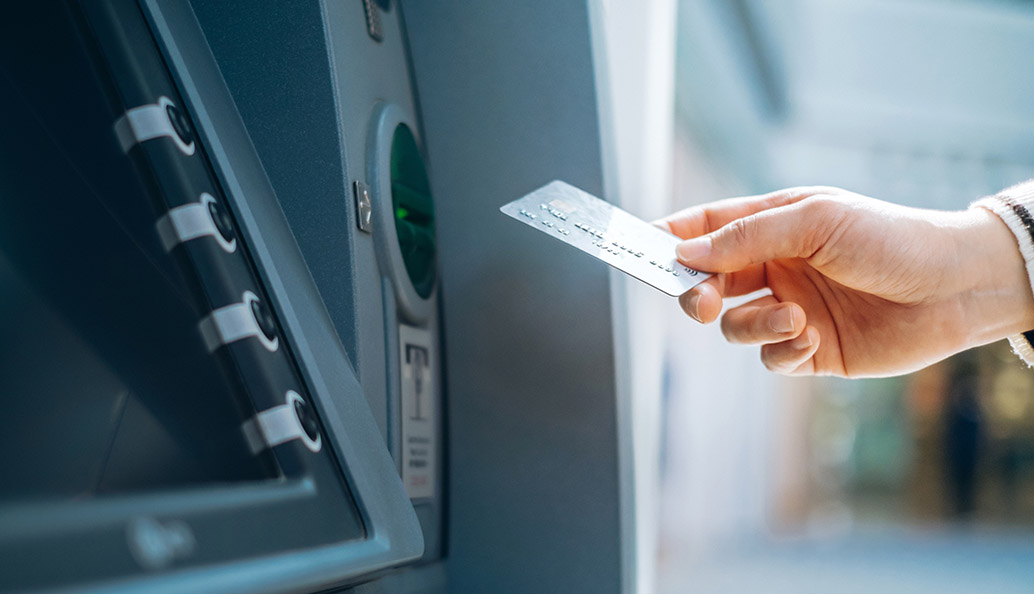
- Have your ATM card ready and in your hand as you approach the ATM.
- Inspect the ATM for possible skimming devices. Look for sticky residue or evidence of adhesive used by criminals to affix the device. Be aware of scratches, damaged or crooked pieces, loose or extra attachments on the card slot, or noticeable resistance when pressing the keypad.
- Use your free hand or body to shield the keyboard as you enter your PIN.
- Always take your receipts or transaction records with you.
- Do not count or display your money at the ATM. Immediately put your money into your pocket or wallet and count it later.
- Roll up passenger windows and lock all doors at a drive-up ATM. If you leave your car and walk to the ATM, lock your car.
Be Cautious Using an ATM at Night
- Park close to the ATM in a well-lit area.
- Take another person with you, if possible.
- Don’t use an ATM if the lights in and around it are not working.
Select a different location and notify your bank if an overgrowth of shrubs or trees conceals an ATM.
You or someone you know could become the victim of a growing crime in America — financial abuse of older Americans. As people over 50 control more than 70% of the nation’s wealth, fraudsters are using new tactics to take advantage of a growing number of older Americans. Senior financial abuse is estimated to have cost victims at least $2.9 billion last year alone.
Safeguard Yourself from Elder Financial Abuse
- Plan ahead to protect your assets and ensure your wishes are followed. Talk to someone at your financial institution, an attorney, or financial advisor about the best options for you.
- Shred receipts, bank statements and unused credit card offers before throwing them away.
- Choose a trustworthy person to act as your agent in all estate-planning matters.
- Lock up sensitive information like account statements and your checkbook when others will be in your home.
- Check references and credentials before hiring anyone.
- Don’t allow access to your financial information to caregivers or other workers.
- View your credit report once a year to ensure accuracy.
- Never give personal information, including Social Security Number, account number or other financial information, to anyone over the phone unless you initiated the call and the other party is trusted.
- Never pay a fee or taxes to collect sweepstakes or lottery “winnings.”
- Never rush into a financial decision. Get details in writing and a second opinion.
- Consult with an attorney or financial advisor before signing any document you don’t understand.
- Get to know your banker and build a relationship with the people who handle your finances so they can watch for suspicious activity related to your account.
- Pay with checks and credit cards instead of cash to keep a paper trail.
- Feel free to say “no.” After all, it’s your money.
- Exercise your right not to be threatened or intimidated. If you think someone is trying to take control of your finances, call your local Adult Protective Services or tell someone at your bank.
- Trust your instincts. Skilled exploiters and abusers can be charming and forceful in their efforts to convince you to give up control of your finances. Remember: If it sounds too good to be true, it probably is.
Follow 3 Tips for Victims of Elder Financial Abuse
- Talk to a trusted family member or your clergy.
- Talk to your attorney, doctor, or an officer at your bank.
- Contact Adult Protective Services in your state, or your local police for help.
Protect the Elderly People in Your Life
Be aware of changes in an elderly person’s financial patterns, including these red flags:
- Unusual activity in an older person’s bank accounts, including large, frequent or unexplained withdrawals
- ATM withdrawals by an older person who has never used a debit or ATM card
- Switch from a basic account to one that offers more complicated services the customer does not fully understand or need
- Withdrawals from bank accounts or transfers between accounts the customer cannot explain
- New “best friends” accompanying an older person to the bank
- Sudden non-sufficient fund activity or unpaid bills
- Closing CDs or accounts suddenly and without regard to penalties
- Uncharacteristic attempts to wire large sums of money
- Suspicious signatures on checks or outright forgery
- Confusion, fear or lack of awareness on the part of an older customer
- Refusal to make eye contact, shame or reluctance to talk about the problem
- Checks written as “loans” or “gifts”
- Bank statements that no longer go to the customer’s home
- New powers of attorney the older person does not understand
- Caretaker, relative or friend who suddenly begins conducting financial transactions on behalf of an older person without proper documentation
- Altered wills and trusts
- Loss of property
If you suspect financial abuse:
- Talk to elderly friends or loved ones if you see any of the signs mentioned here. Try to determine what’s happening with their financial situation, such as a new person “helping” them with money management or a relative using cards or credit without their permission.
- Report the abuse to their bank and enlist their banker’s help to stop it and prevent its recurrence.
- Contact Adult Protective Services in your town or state for help.
- Report all instances of elder financial abuse to your local police. If fraud is involved, they should investigate.
Remember: Never give your Social Security number, account numbers or other personal financial information over the phone unless you initiated the call.
All information on our security resources pages is provided as a convenience to customers and non-customers alike. Our Online Privacy & Terms apply to all information posted. In case you are the victim of a financial or other crime involving any of the security issues discussed here, contact law enforcement and other pertinent authorities and organizations IMMEDIATELY. Never send out your personal information by unencrypted email.
RESOURCE CENTER
In our ever-changing world, there’s always more to learn. Empower your financial health by keeping current on cyber security risks, best practices, emerging tech and beyond. We offer resources to keep you on top of it all.
-
 Scams
ScamsScams
Learn about the latest scams and what to do if you fall prey to one. -
 Fraud Alerts
Fraud Alerts
-
 Identity Theft
Identity Theft